
The Definitive Guide: How to Perform Your Own Website Audit and Dominate SEO

A website audit is the most critical step you can take to understand exactly what is happening with your site's SEO performance.
This comprehensive audit provides you with a clear blueprint to achieve success:
- Identify technical issues that are silently destroying your rankings and traffic.
- Uncover hidden growth opportunities in high-value content.
- Create a focused and actionable plan that delivers real results.
With this process, you are not just fixing immediate problems; you are proactively building a strong, reliable, and future-proof digital foundation.
Step #1: Check Site Architecture and Navigation – The Blueprint for Success
Site architecture is the structural backbone of every successful website. If the structure is confusing, users and search engine spiders will struggle immensely to find and prioritize your content.
Audit Your Site Structure
The ideal structure is an inverted pyramid or a flat model (known as a silo structure). The rule of thumb here is: all your valuable content must be reachable from the homepage in three to four clicks maximum. This ensures search engines easily assign authority.
- Smaller Sites: Use a structure that is as flat and accessible as possible.
- Larger Sites: Employ a deeper, logical structure, organizing content into tightly interconnected categories to pass authority efficiently.
Ensure Clear, Intuitive Navigation
Bad navigation will cripple your SEO. Navigation must be intuitive, flawless, and lightning-fast.
Your goal is to ensure both users and Google's crawlers can find everything they need with absolute ease.
Hallmarks of Good Navigation:
- The main menu must be concise and list your most important top-level category pages.
- Utilize a highly effective search function, essential for large, content-heavy websites.
- Include an organized footer for secondary, but important, utility links.
Audit Your Internal Links
Internal links are an incredibly powerful, yet often underutilized SEO tool. They achieve two critical goals:
- Spread Link Equity: They pass authority and relevance signals across your domain.
- Lower Bounce Rate: They keep visitors engaged by guiding them to related, helpful content.
Internal Linking Best Practices:
- You must consistently link from high-authority pages to deeper, less visible pages.
- Always use descriptive and keyword-rich anchor text that accurately describes the destination page.
- Be absolutely vigilant about broken links—your homepage and key landing pages must have zero broken internal links.
Step #2: Check Your Site's Technical Foundation
The technical audit is the foundation of performance; if you fail here, all subsequent efforts are irrelevant. If Google cannot crawl or index your content, your hard work is wasted.
Inspect Your Site Speed and Core Web Vitals (CWV)
Users detest slow sites, and Google penalizes them. Site speed is a proven, non-negotiable ranking factor, measured through Core Web Vitals.
The Three CWV Metrics You MUST Master:
- LCP (Largest Contentful Paint): Measures loading time of the main content block. Goal: Less than 2.5 seconds.
- FID (First Input Delay): Measures time until the page is interactive. Goal: Less than 100 milliseconds.
- CLS (Cumulative Layout Shift): Measures visual stability. Goal: Less than 0.1.
Review Indexability and Crawlability
You need to confirm that Google can find and index only the pages you want to rank.
Critical Audit Activities:
- Check your *Robots.txt* file: Ensure that no important pages are blocked accidentally.
- Triage your *Sitemap.xml Your sitemap must be clean and exclusively contain high-quality, indexable pages.
- Verify *Noindex Tags: Use Google Search Console to find out if any important ranking pages are tagged with the `noindex` directive.
Identify HTTPS and Redirect Issues
These small errors significantly damage user trust and SEO performance.
- HTTPS: Your entire domain must resolve to the secure HTTPS protocol.
- Redirect Chains:
Step #3: Analyzing Your Backlink Profile – Your Authority Score
Your backlink profile is the heart of your domain authority. A backlink audit is non-negotiable to ensure the vast majority of your incoming links are high-quality, relevant, and healthy.
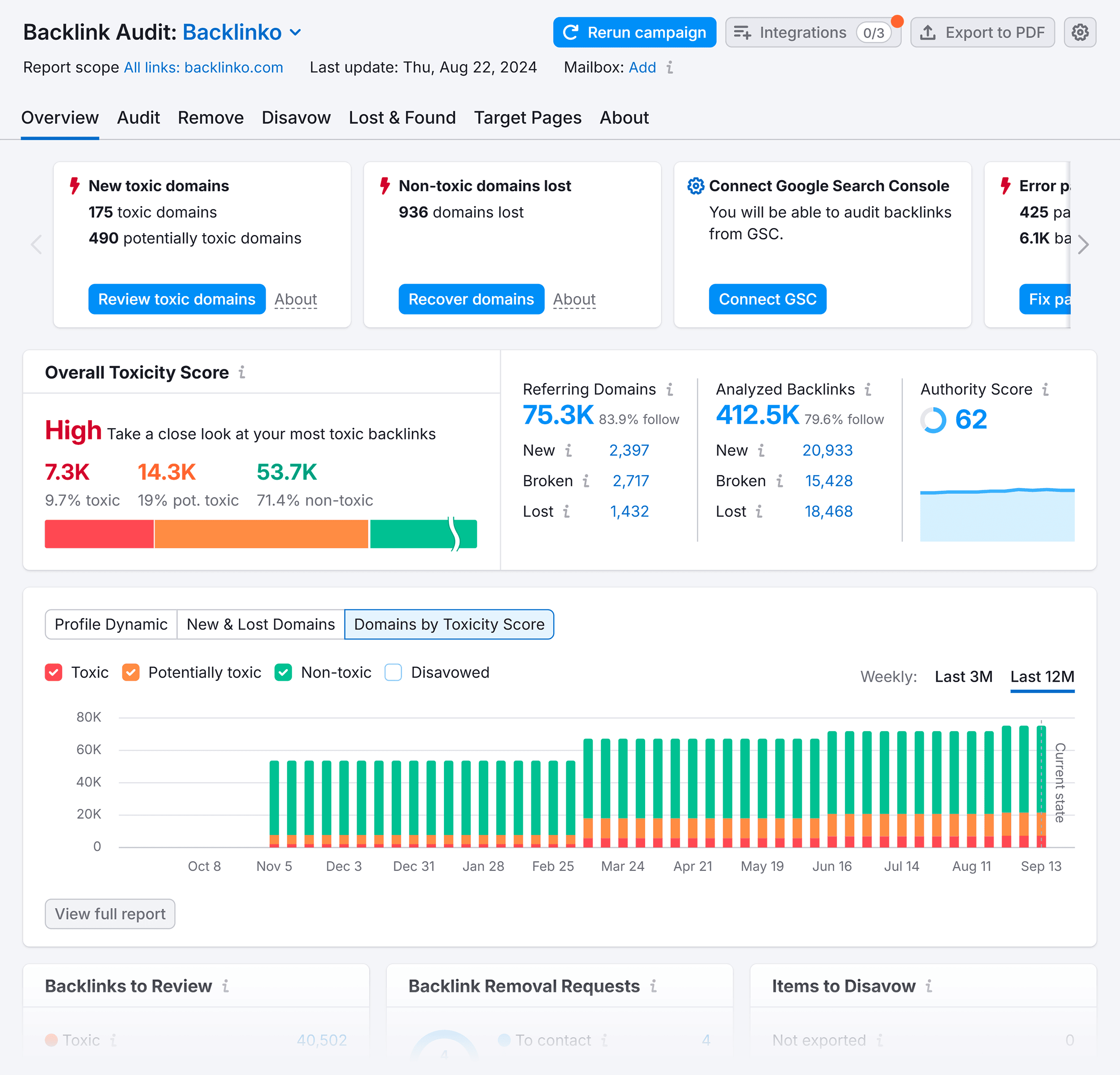
This audit helps you in two critical ways:
- You can analyze your healthy, high-performing backlinks and replicate those link-building opportunities.
- You can aggressively identify toxic links and initiate removal requests or use the Google Disavow Tool.
What truly matters is the ratio—you need the overwhelming majority of your links to be high-quality editorial placements.
Monitor Your Link Profile Continuously
You must regularly monitor your backlink profile to maintain its pristine condition. Schedule monthly or quarterly checks to catch harmful links early before they have a chance to damage your rankings.
Step #4: Evaluate Your Content – The Traffic Driver
A thorough content audit will tell you exactly which pages you need to improve, update, or delete to achieve a significant traffic boost.
It ultimately reveals:
- Which content pieces drive the most financial value.
- Which pages are decaying and need urgent improvement.
- Which low-quality pages should be removed or consolidated (content pruning).
Evaluate the Quality of Your Content
High-quality content is the magnet that keeps readers engaged and signals to search engines that your page is authoritative and deserving of the top rank.
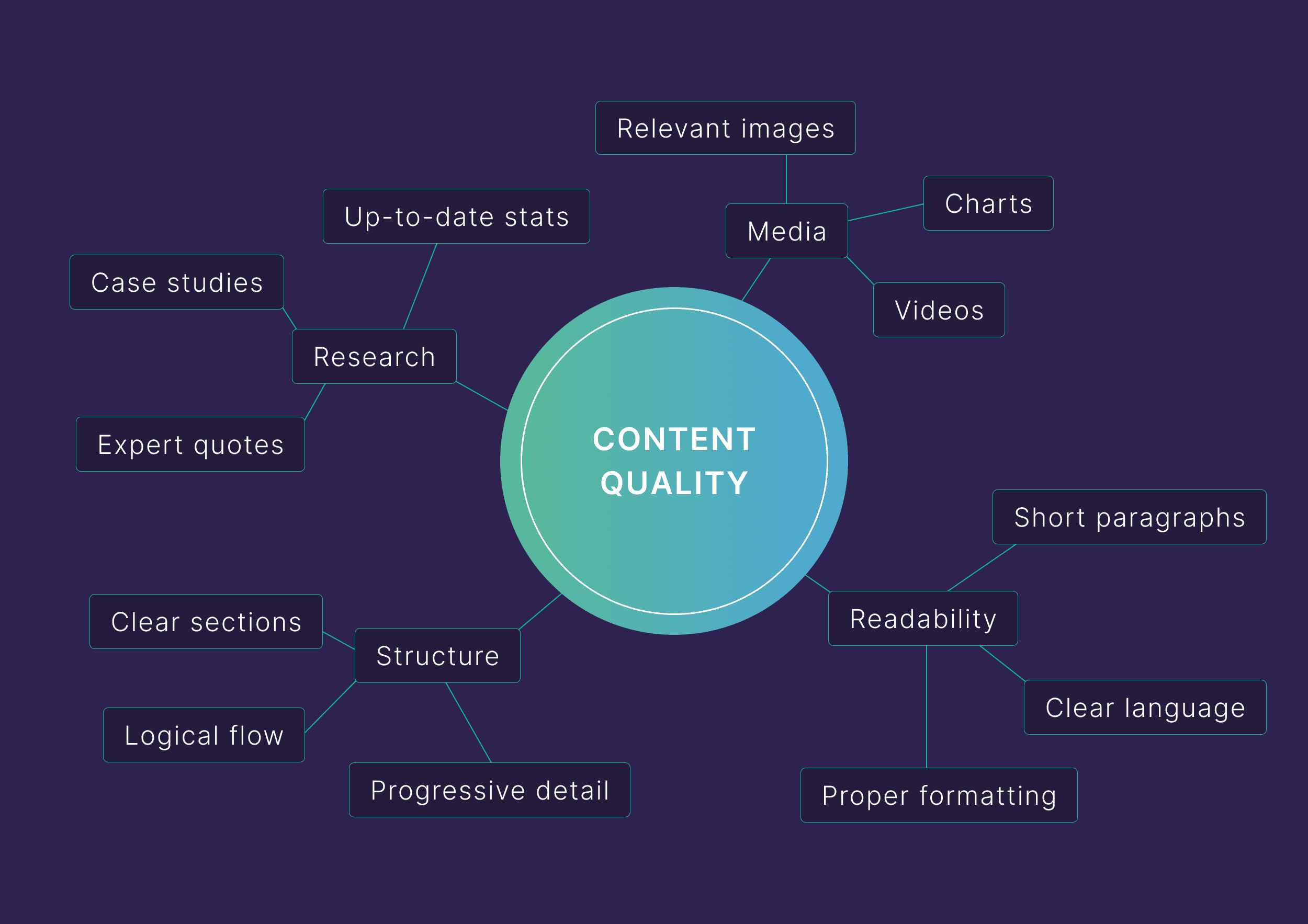
Characteristics of high-value content: Crystal-clear language, skimmable formatting (using lists and bolding), short paragraphs, and relevant visual assets (charts, images, videos).
Review and Optimize Your Meta Elements
Your title tags and meta descriptions are your only chance to make a great impression on the Search Engine Results Page (SERP).
These elements are often the deciding factor in whether a user clicks on your link or scrolls past it.
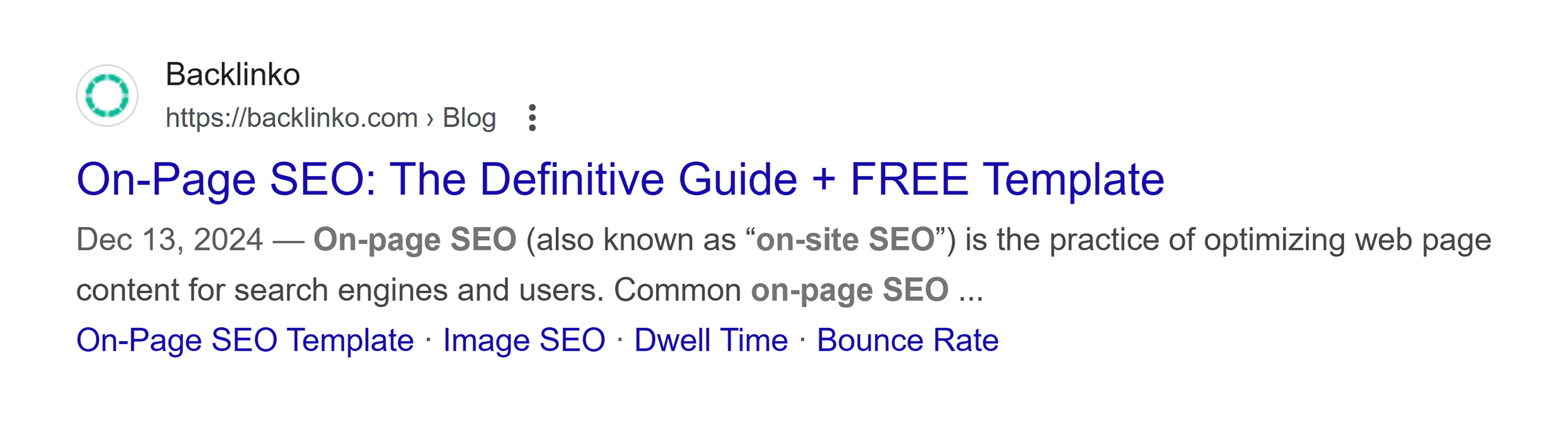
Optimized Titles MUST:
- Include your primary target keyword near the beginning.
- Be kept under ~60 characters to avoid truncation.
- Use power words and engaging language to create a sense of urgency or curiosity.
Optimized Meta Descriptions MUST:
- Include relevant secondary keywords naturally.
- Provide an accurate and enticing summary of the page content.
- Contain a strong call to action (CTA).
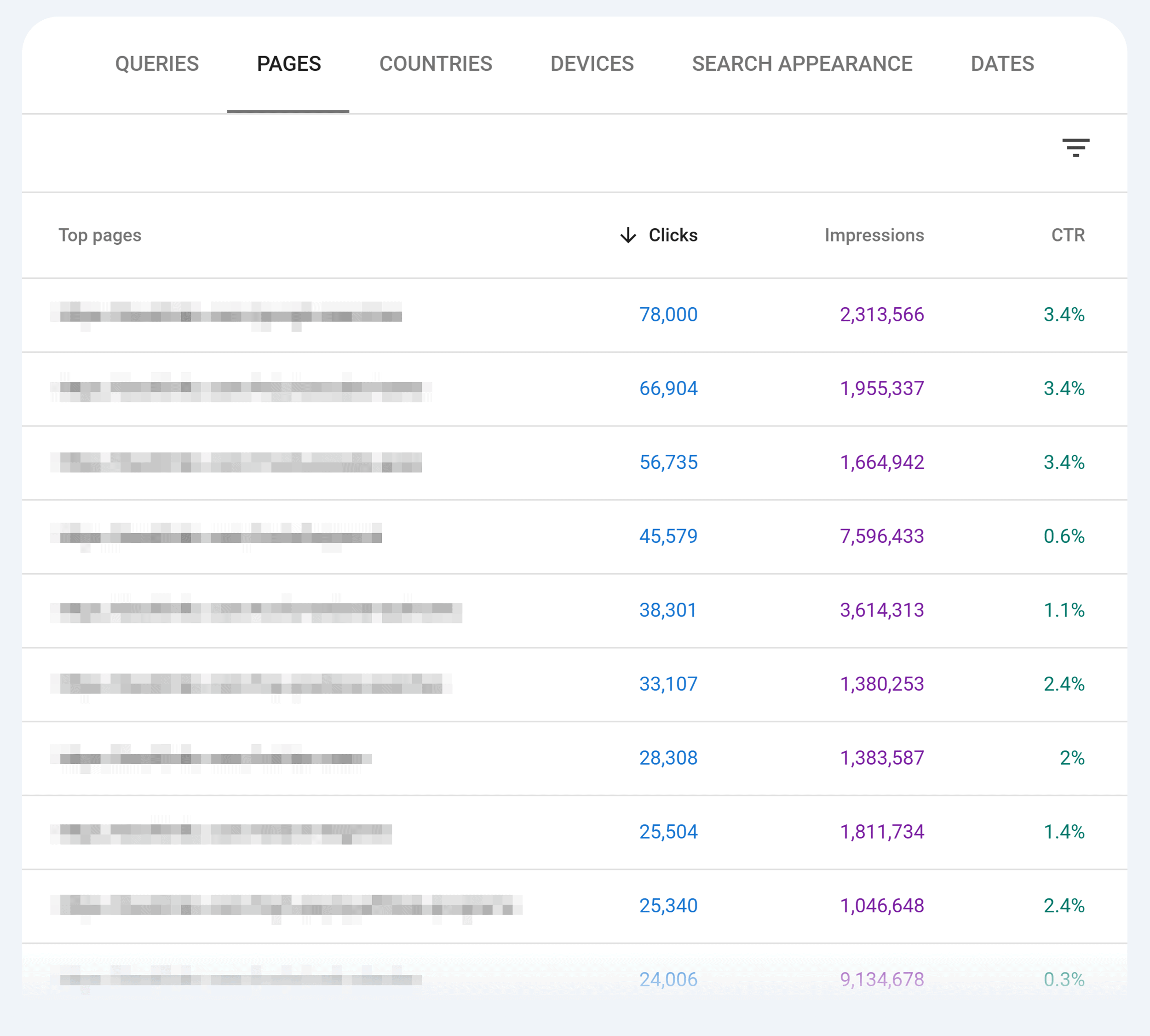
Action Step: Use Google Search Console to find pages with high impressions but low CTR. These pages represent major, untapped opportunities for a massive traffic boost with a simple title/meta update.
Step #5: Assess the User Experience (UX) – The Retention Factor
The goal of the UX audit is to ruthlessly identify friction points and eliminate them so users can effortlessly convert.
An exceptional UX keeps visitors engaged and encourages conversions. Furthermore, page experience is a well-known and key ranking factor.
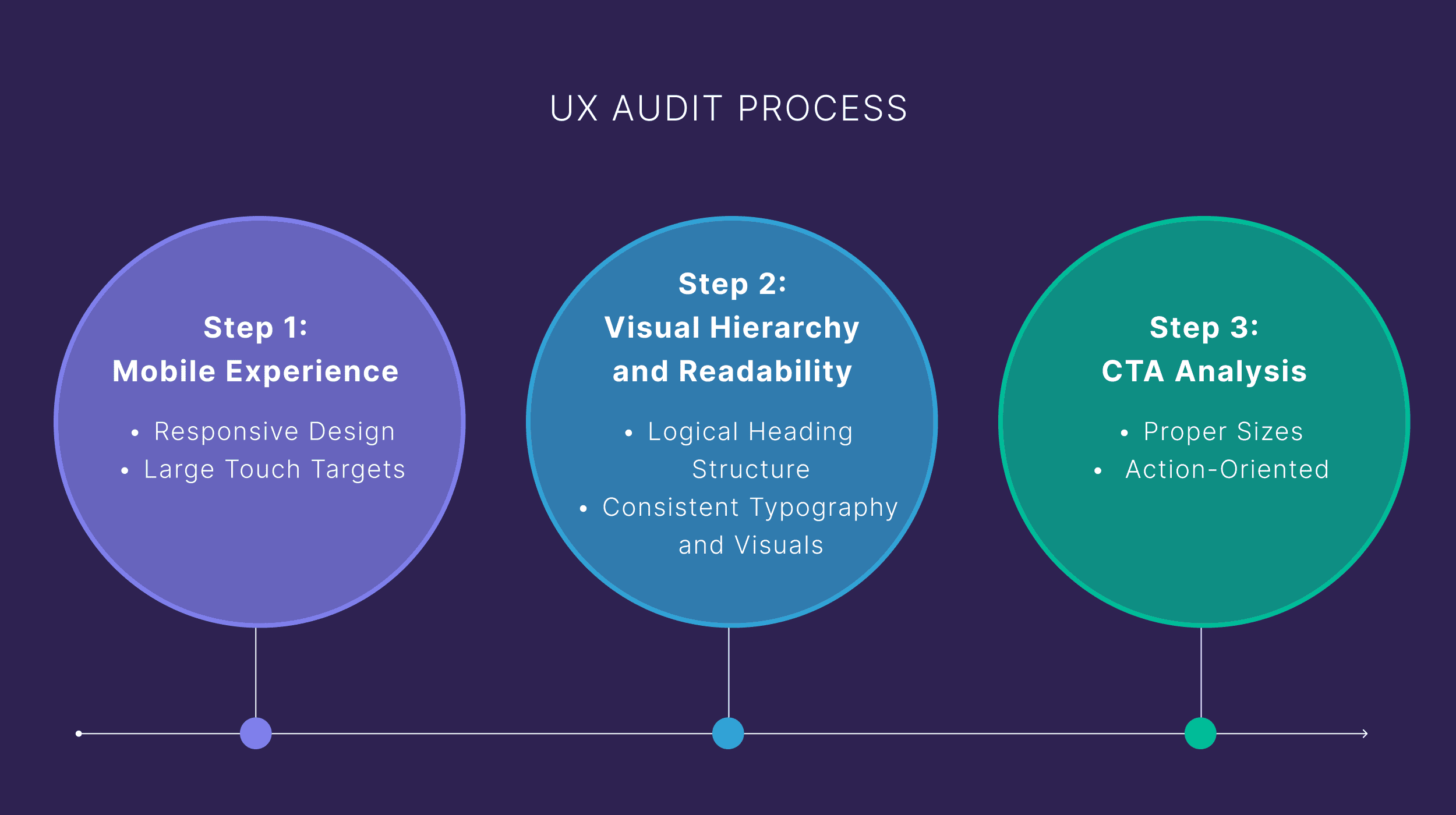
Check the Mobile Experience – Mobile-First is Mandatory
More than 60% of all website traffic comes from mobile devices. You must test your site on various screen sizes to ensure a consistent, fast, and perfect user journey.
Mobile Focus Areas:
- Are your buttons and links large enough to tap without annoying zooming?
- Do your images and videos scale perfectly on every screen size?
- Is your text immediately readable without requiring the user to pinch to zoom?
- Does your navigation menu work flawlessly on smaller devices?
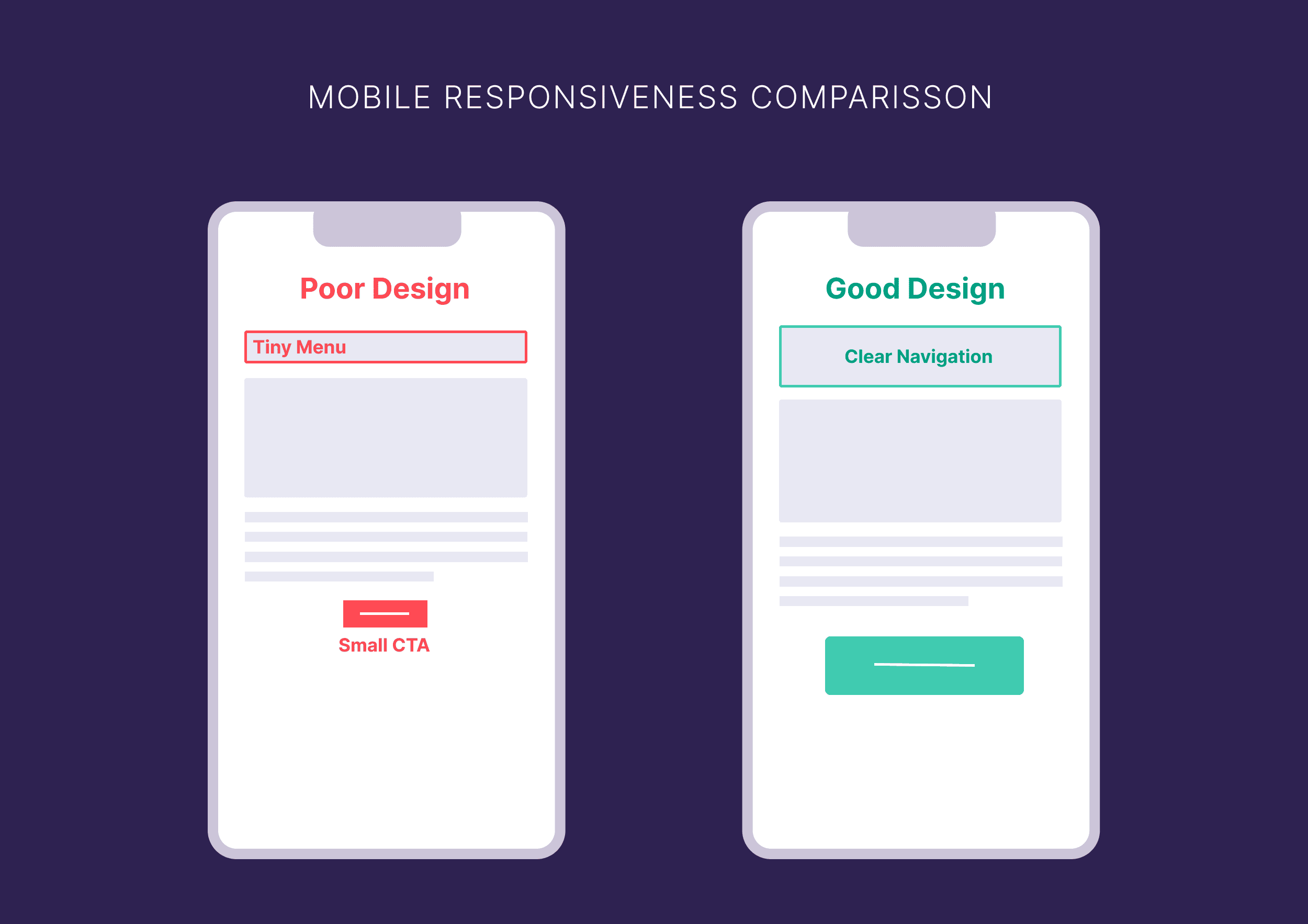
Review Visual Hierarchy and Readability
Your design must clearly guide users’ attention to the most important elements, making your content easy to consume and understand.
Key Considerations for Readability:
- Have you nested your headers properly (H1 > H2 > H3) with clear visual distinction for users who skim?
- Is your text perfectly legible with sufficient contrast against the background?
- Do you use ample white space to break up dense sections and prevent eye fatigue?
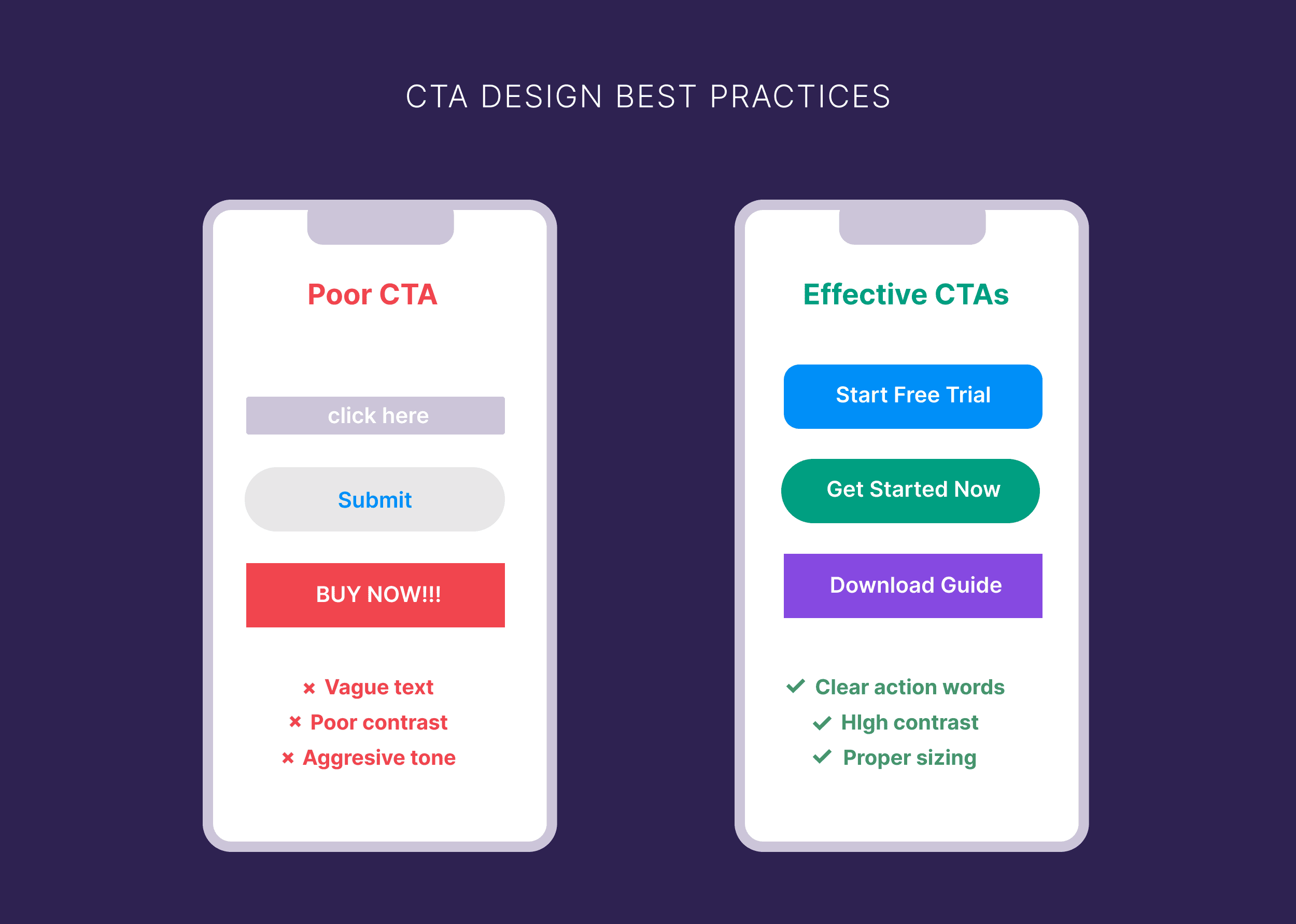
Test Calls to Action (CTAs)
Since CTAs are your primary conversion points, they must be highly visible, compelling, and easy to activate.
Your CTAs must:
- Visually pop on the page (use strong color contrast).
- Use clear, benefit-driven, action-oriented text.
- Appear at logical, high-intent points in the user journey.
- Function perfectly across all devices (desktop and mobile).
Step #6: Review Your Analytics & Conversion Data – Data-Driven Decisions
Auditing your website structure and content is only half the battle. To find out what the best, most profitable next steps are, you must look at the raw data.
Analyze Search Performance (GSC)
Open Google Search Console (GSC) and study your performance metrics. The goal is to identify decaying pages and low-hanging fruit.
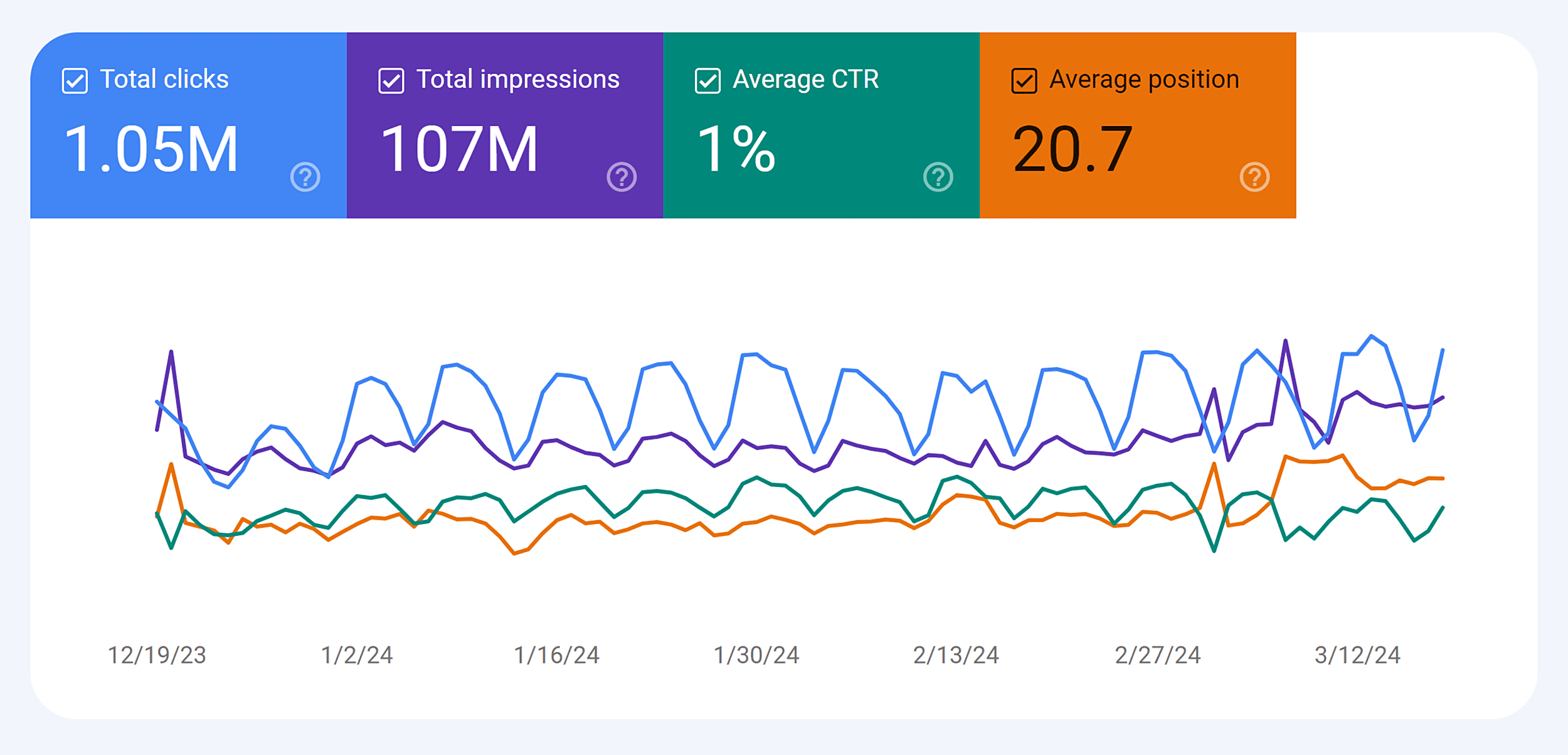
You MUST identify the following:
- Pages with zero traffic (these need deletion or consolidation).
- Content with low click-through rates (needs a title/meta update).
- Pages stuck on page 2-3 (prime candidates for a content refresh).
Check Your Traffic Trends
The most important metric to check is traffic. It reflects whether a piece of content is attracting and holding an audience.
Focus exclusively on content with declining traffic trends.
Traffic Trend Analysis in GSC:
- Open the “Performance” tab.
- Navigate to the “Pages” tab.
- Select a 12-month period (or longer) to reveal clear patterns.
- Select individual pages to view their performance graphs.
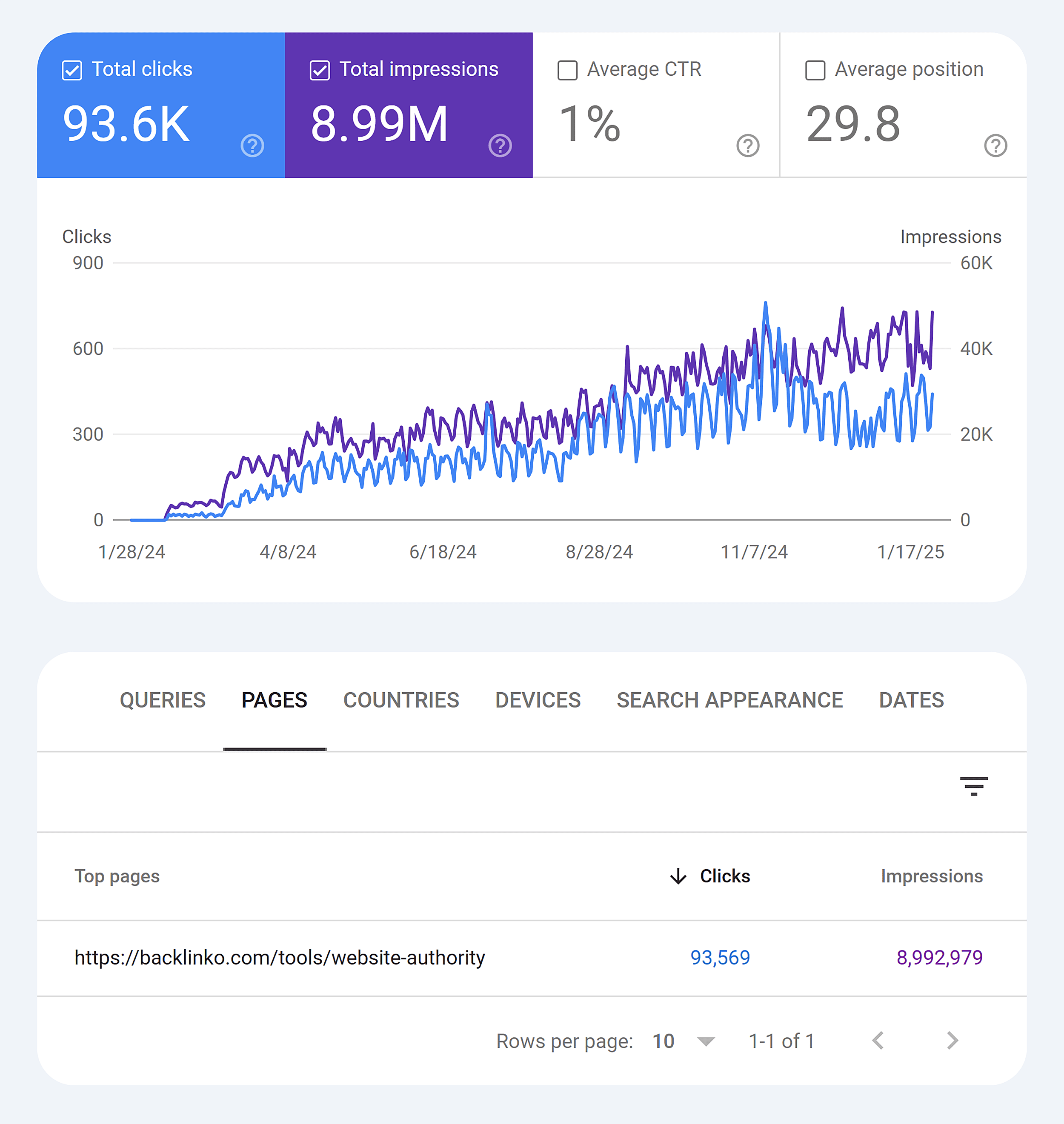
If you see these patterns, you have a massive opportunity:
- A consistent downward trend over several months.
- Sudden, unrecovered drops in traffic.
- Content that was historically high-performing but has lost momentum.
These decaying pages are your best chance to update and instantly regain lost traffic and rankings.
Take Action on Your Website Audit Findings
After completing your audit, you will have a long, daunting list of required fixes. The key is prioritization.
Prioritize Your Fixes – Impact First
Start with issues that have the biggest, most immediate impact on your SEO and user experience. Fix the foundation before decorating the walls.
Top Priority Issues:
- Critical technical errors (crawlability/indexing).
- Missing meta information on key landing pages.
- Core Web Vitals failures (slow loading).
- Non-intuitive navigation.
- High count of toxic backlinks.
Create an Action Plan (The Quick Wins Strategy)
Break down the long list into manageable chunks based on the time and effort required.
| Timeline | Action Items |
|---|---|
| Quick Wins (low effort, less than one hour) |
|
| Medium-Term (requires planning and resources) |
|
| Long-Term (major changes requiring significant time and effort) |
|
This approach helps you capture high-impact quick wins immediately while scheduling larger projects strategically.
Ready to Do Your Own Website Audit?
When you conduct your first audit, start small and stay focused. Pick the SEO aspect that most closely aligns with the biggest challenge your site currently faces.
- If your rankings are plummeting, focus entirely on the On-Page SEO and Content Audit.
- If your bounce rate is high, do a dedicated UX Audit to find out why visitors are leaving without converting.
Frequently Asked Questions (FAQ)
Q: How often should I audit my website?
A: Ideally, you should perform a comprehensive audit at least every six months. However, a quick technical check should be done monthly, and a full audit is mandatory immediately following any major Google algorithm update.
Q: What is the single most important part of a website audit?
A: The Technical SEO Audit (Crawlability, Indexing, and Core Web Vitals). If the search engine cannot efficiently crawl, understand, and index your pages, no amount of great content or quality backlinks will help you rank. This is the absolute foundation.
Q: What is a "toxic backlink" and why do I need to remove it?
A: A toxic backlink is a link coming from a low-quality, spammy, or irrelevant website that violates Google's Webmaster Guidelines. These links exist purely to manipulate rankings and can result in a **manual or algorithmic penalty**, which will **severely damage** your site’s search visibility. You must remove or disavow them.
Q: How can I quickly fix a low Click-Through Rate (CTR)?
A: A low CTR indicates your page is appearing in search but users aren't clicking. The fastest fix is to **rewrite the Title Tag and Meta Description**. Make sure the new title is **compelling**, includes the primary keyword, and the meta description has a **strong call to action** that promises a clear user benefit.

Post a Comment